AI Relight: Change the Lighting of Any Photo (2026)
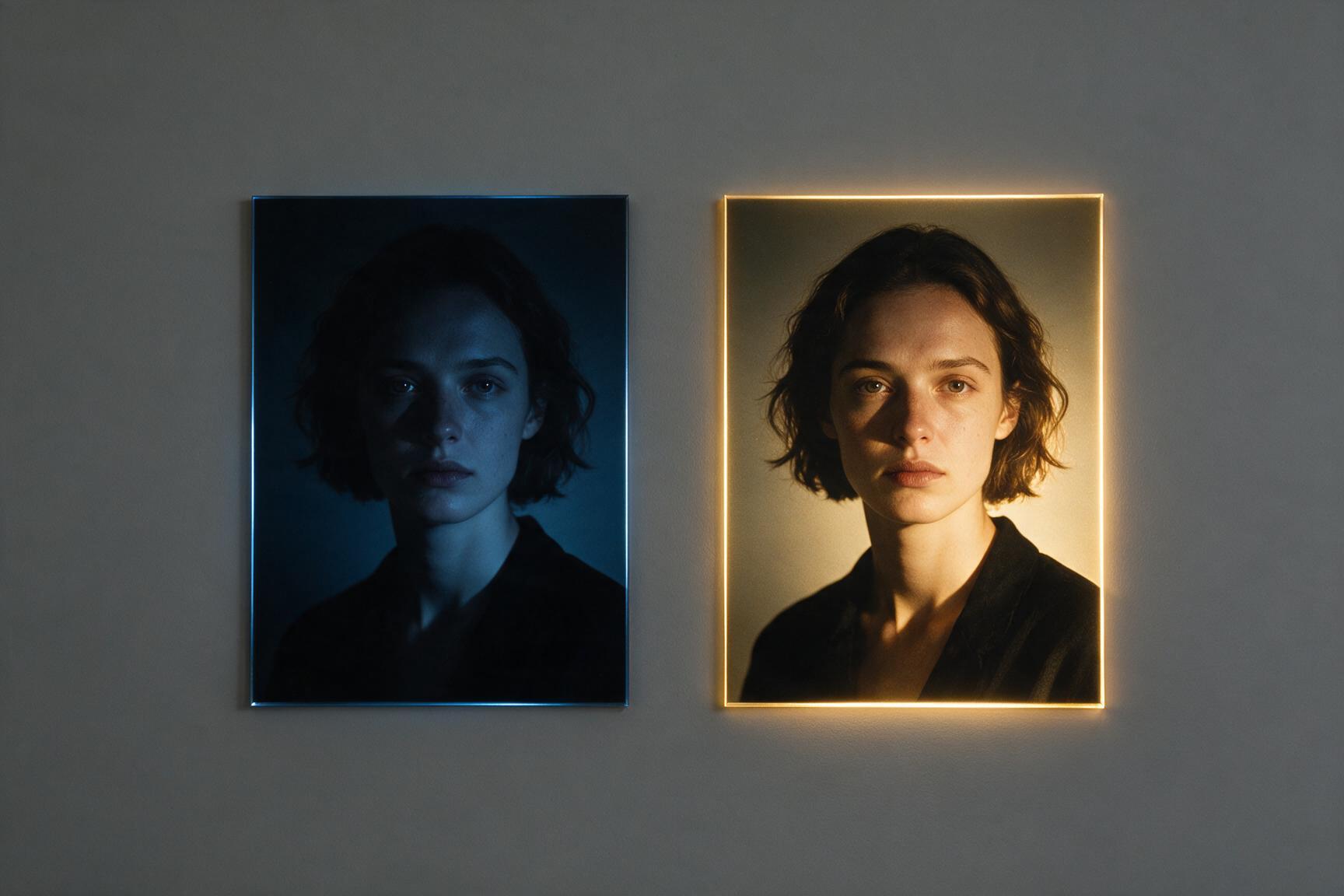
Lighting is the difference between a snapshot and a portrait — and it's the one thing you can't fix with a filter. AI relighting changes that: describe the light you want, and the photo is reimagined as if it had been shot in it. Golden hour instead of flat noon. Soft window light instead of a bathroom bulb. Here's how it works — including the honest caveat most tools don't mention.
How AI relight works on Hermosso
- Upload your photo to the Relight tool.
- Describe the light — "golden hour sunlight from the left," "soft window light," "dramatic rim light," "neon night glow." Example chips are built in.
- Optionally pick a direction — left, right, top, bottom, or auto.
- Generate. One relight costs 50 credits; new accounts get 750 free.
The honest part: your background will change
Relighting doesn't just adjust brightness — it reimagines the scene around your subject so the environment matches the new light. Your face and identity stay untouched; the backdrop and mood transform. That's exactly right when the original setting was nothing special. It's the wrong tool when the background matters — if you love the scene but want it brighter or sharper, use the upscaler instead, and if you need more room around the subject, use the image extender. One more honesty note: because the scene is re-rendered, fine background details — a sign, a landmark — won't survive verbatim. Faces and subjects do.
Relight vs filters vs a reshoot
A filter adjusts colours globally — it can warm a photo but can't move the sun. A reshoot gives you full control at the cost of time, weather and money. Relight sits between: it re-renders the scene with physically new light in about the effort of applying a filter. The trade-off is the one already mentioned — the scene gets reimagined. When the place matters, filter or reshoot; when the light matters, relight.
What to use it for
- Portraits in bad light. Flat midday sun or dim indoor light → golden hour or soft studio light.
- Product and brand shots. Give a plain photo a mood — dramatic rim light, warm dusk — without a reshoot.
- Social content. One photo, several lighting moods for a series.
- Rescues. A great expression stuck in terrible light is the classic save.
Getting the best result
- Be specific. "Warm golden-hour light from the left, soft shadows" beats "better lighting."
- Match the direction. If the original light clearly came from one side, keep the new light on that side for the most believable result.
- Start with a sharp photo. Relight re-renders the scene; a clean source gives it more to work with.
- Try two or three prompts. At 50 credits each, comparing moods is cheap.
Example prompts that work
- "Golden hour sunlight from the left, warm soft shadows."
- "Soft window light, overcast day, gentle and even."
- "Dramatic rim light from behind, dark moody background."
- "Neon night glow, pink and blue city light."
- "Studio softbox, clean even beauty light."
Notice the pattern: a quality of light, a direction, a mood. Vague prompts ("make it cinematic") work too, but the physical ones are the most repeatable.
One last tip: relight photos you've already finished editing. Crop, extend and upscale first so the relight pass works on the final frame — then the new light wraps the whole scene consistently instead of you having to redo the edits afterwards.
Try it on your own photos
Upload a few selfies, and Hermosso trains a private AI model of you — then generates studio-quality photos in any style. Your first credits are free.
Create your AI photos →Frequently asked questions
Does AI relight change my face?
No — the subject's identity is preserved. What changes is the light and the scene around the subject: the background is reimagined to match the new lighting.
Can I keep my original background when relighting?
Relighting reimagines the scene so it matches the new light, so the backdrop will change. If you want to keep the exact scene and just improve quality, use the 22K upscaler instead.
How much does AI relighting cost?
50 credits per photo on Hermosso; new accounts get 750 free credits on signup, and plans start at $9/month for 5,000 credits — credits never expire.
What lighting prompts work best?
Specific, physical descriptions: "golden hour sunlight from the left," "soft window light," "dramatic rim light," "neon night glow." Naming a direction (left/right/top/bottom) makes the result more believable.