
AI Interior Design: Redesign Any Room from a Photo (2026 Guide)
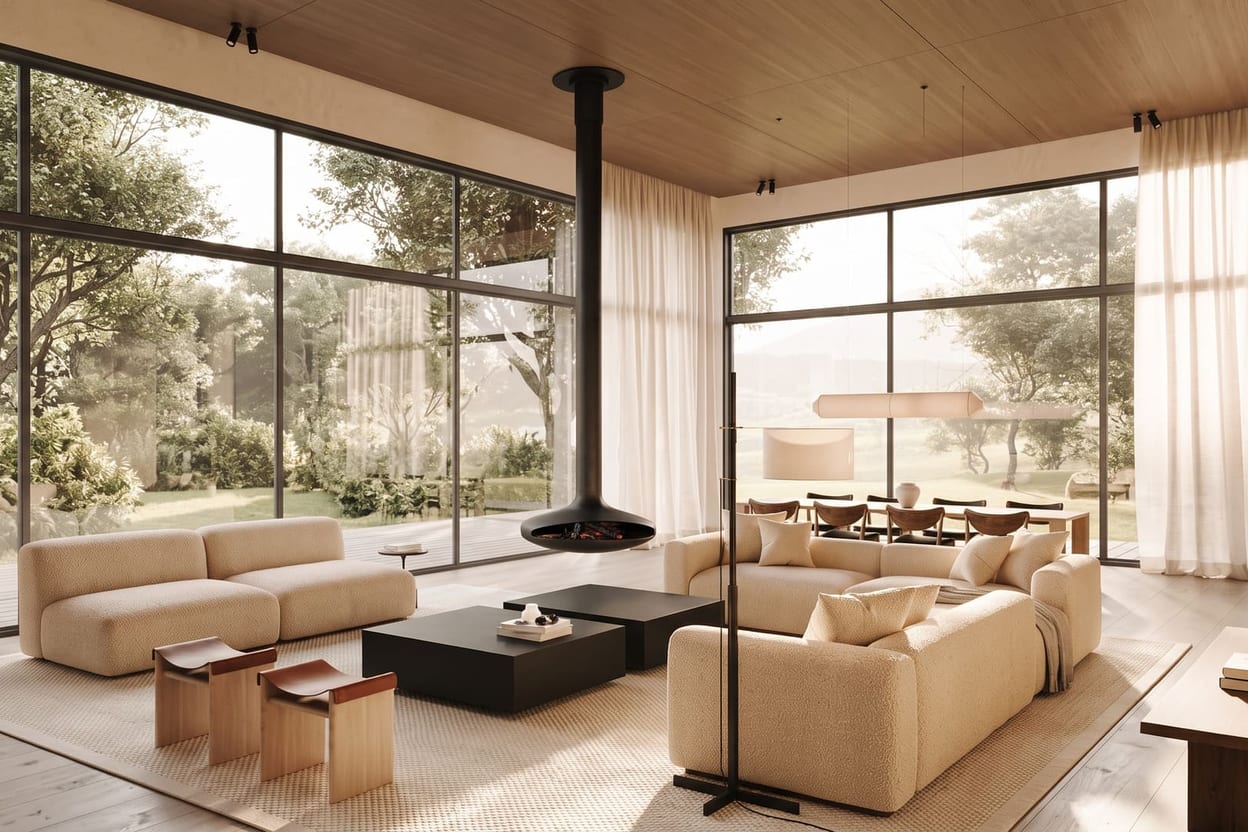
AI interior design has a slightly magical premise: take one ordinary photo of your room, describe the room you wish it was, and see it — your windows, your proportions, your awkward alcove — reimagined in that style. It works, and it takes minutes rather than the weeks a designer's mood board used to. This guide walks through how it works and how to get results worth acting on.
What AI interior design actually is
Modern image models have learned the visual grammar of interiors — how light falls through a sash window, what oak does next to limewash, how a mid-century sideboard sits on a wooden floor. An AI interior design tool applies that knowledge in two directions: generation (invent a room from a written prompt) and restyling (take your room's photo and re-dress it while keeping its structure). The second is the one homeowners, renters and agents care about most, because you're exploring your space, not a fantasy one.
How to redesign a room, step by step
- Photograph your room. Daylight, camera at chest height, as much of the room in frame as you can. Tidy the obvious clutter first.
- Upload it to the tool — or skip the photo and write a prompt if you're designing a room that doesn't exist yet.
- Describe the style you want. "Warm minimalist living room, oak floor, linen sofa, off-white limewash walls" beats "make it nice".
- Add reference images if you have specific pieces in mind — in Hermosso's The Studio you upload photos and @-mention them (img01, img02…) to steer the design towards your own furniture or materials.
- Generate, then edit. Use instruction edits ("make the sofa emerald green"), Restyle into another named style, Relight to evening, or swap a material — rather than regenerating from scratch.
- Enhance the keeper to 4K and use the before/after slider to compare it with the original.
Designing a room that doesn't exist yet
The same workflow runs without a photograph. If you're planning a renovation, furnishing a new-build from the developer's floor plan, or just daydreaming a garden room, start from a written prompt instead: describe the room's shape, light and purpose — "north-facing attic bedroom, sloped ceiling, one skylight, reading nook" — and build the design from there. Reference images work in this mode too, so you can design around a sofa you already own before you've decided where the walls go.
Styles that translate well
- Japandi — Japanese restraint meets Scandinavian warmth; pale woods, low furniture, quiet palettes.
- Mid-century modern — teak, tapered legs, mustard and olive accents.
- Warm minimalism — fewer things, softer textures; beige, bouclé, oak.
- Industrial — brick, black steel, concrete, Edison light.
- Coastal — white, rattan, washed blues; forgiving on dark rooms.
- Contemporary hotel-luxe — deep upholstery, brass, dramatic lighting.
- Rustic farmhouse — beams, aged wood, linen, ceramics.
Tips for results you'll trust
- Iterate in small moves. Change one thing per edit — the wall colour, then the sofa — so you can tell what helped.
- Name materials explicitly. Models respond far better to "travertine coffee table" than to "nice coffee table".
- Try Relight before judging. A design that looks flat at noon can be gorgeous at golden hour; relighting is one edit, not a redo.
- Check more than one angle. Camera-angle tools can re-render the same room from a new viewpoint, which is a quick honesty check on the layout.
- Treat references as direction, not photocopy. @-mentioned furniture guides the design convincingly close, but confirm exact pieces against real product photos before you buy.
Choosing between the tools that offer all this is its own question — our tested comparison of the best AI interior design tools ranks the field, and if you're furnishing an empty property rather than restyling one, the virtual staging guide covers that workflow specifically.
Try it on your own photos
Upload a few selfies, and Hermosso trains a private AI model of you — then generates studio-quality photos in any style. Your first credits are free.
Create your AI photos →Frequently asked questions
Can AI really redesign my room from one photo?
Yes. Upload a daylight photo and the tool restyles your actual room — keeping its walls, windows and proportions — in whatever style you describe. You then refine with edits: change colours, swap materials, relight, and enhance the final image to 4K.
Do I need to write complicated prompts?
No, but specificity helps. Name the style, the key materials and the mood — 'japandi bedroom, oak, linen, soft morning light' — and you'll get much closer on the first try than with a vague instruction.
Can I include my own furniture in the AI design?
In Hermosso's The Studio you can upload reference photos of pieces you own or are considering and @-mention them in the prompt. The design is steered towards those pieces — treat it as strong visual direction rather than a pixel-perfect guarantee.
Is AI interior design useful before hiring a real designer?
Very. It lets you test styles, colours and layouts on your actual room for almost nothing, so you arrive at a designer — or a furniture shop — with a clear, visual brief instead of a vague mood.
What's the difference between restyling and virtual staging?
Restyling re-dresses a furnished room in a new style. Virtual staging furnishes an empty room from nothing. Both start from your photo; our virtual staging guide covers the listing-focused workflow.